
You can choose exactly which bump products a coupon should apply to – giving you more flexibility in how discounts are offered across your funnels.
This makes coupon setup more flexible by allowing you to target:
- Main product + specific bumps
When creating or editing a percentage-based coupon:
- Go to Products → Coupons → New/Edit Coupon.
- At discount type select Percentage
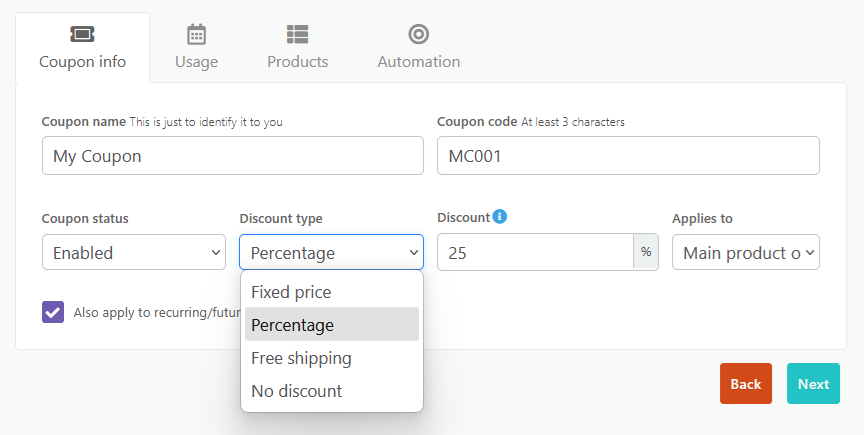
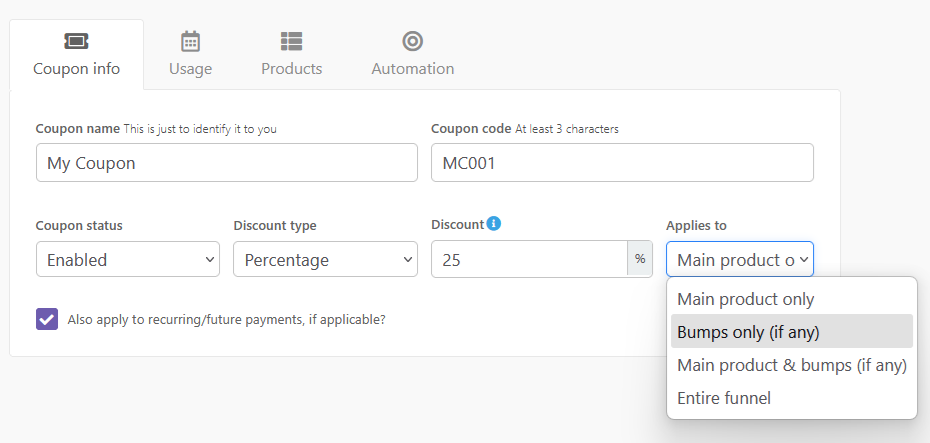
- Select your preference at Applies to
- Under the Products tab, select Specific products.
- Choose the product you’d like the coupon to apply to.
- Any pricing options will appear first, prefixed with:
Pricing: [Name of option] - Any bump offers will appear next, prefixed with:
Bump: [Name of bump]
- Any pricing options will appear first, prefixed with:
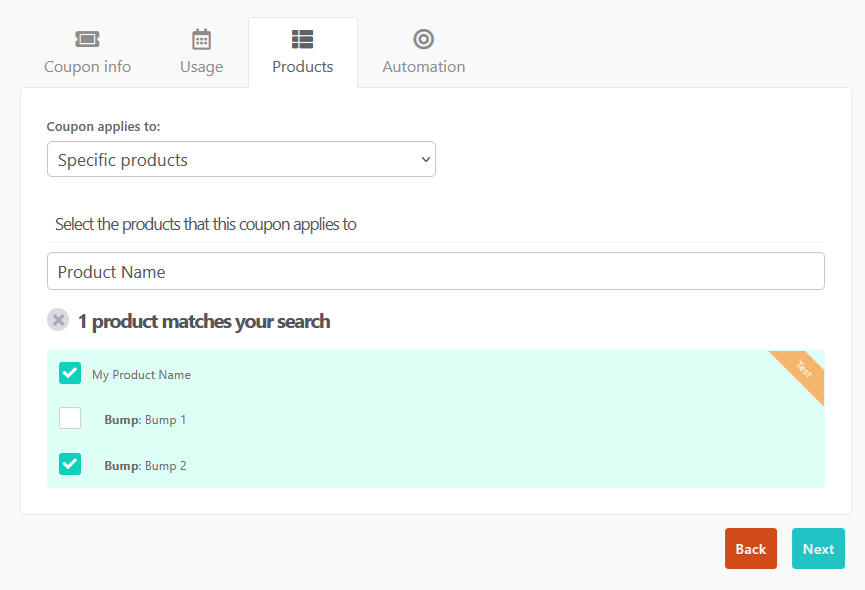
Both pricing options and bumps will show slightly indented beneath the product, making it clear they are sub-options.
You can select or deselect the different bump offers on a product to determine if a coupon is applicable for that product.
How it works
- If a product has only one pricing option, the option will not be listed separately.
- If a product has one or more bumps, each bump will now appear individually.
- When selecting a product, all current pricing options and bumps are automatically selected by default.
- If you add new bumps after creating the coupon, those new bumps are not automatically selected – you’ll need to edit the coupon to include them.
Coupon Logic & Compatibility
- Existing coupon logic still applies.
- Percentage coupons still respect the “applies to” rules:
- Main product only
- Bumps only (if any)
- Main product + bumps/upsells
- If you select bumps in the product list but the coupon type is restricted (e.g., “main product only”), those bumps won’t be discounted.
Frequently Asked Questions (FAQs)
- Q: Does this change my existing coupons settings?
- A: No, existing coupons that are already applied to a product will now automatically have that product’s bumps selected as well – to match how bumps were previously discounted.
- Exception: if the coupon was a percentage discount with “main product only” selected, bumps will still not be included (even if shown in the list).
- A: No, existing coupons that are already applied to a product will now automatically have that product’s bumps selected as well – to match how bumps were previously discounted.
- Q: Why isn’t my coupon automatically applying to my new bump?
- A: If the coupon existed before the bump offer, you’ll need to edit the coupon to make sure your new bump offer is selected as eligible for the coupon.