A popular and effective free offer strategy to entice new customers is by giving away a product for free and only charging for the cost of shipping. This approach is a powerful way to build a list of verified buyers—people who have proven they are willing to make a purchase—making them significantly more valuable for future marketing than a simple email opt-in list. It’s an excellent method for converting prospects into paying customers and introducing them to your brand with a high-value, low-commitment offer.
ThriveCart makes the free offer setup for your physical product checkout incredibly simple. In just a few clicks, you can configure your product price to be zero while still charging for shipping. You can also easily set your integrated fulfillment service to automatically process and ship the order for a truly hands-off offer.
How to create a free-plus-shipping offer
When creating/editing your product, you need to ensure you’re creating a physical product. This will give you the important ‘shipping’ options.
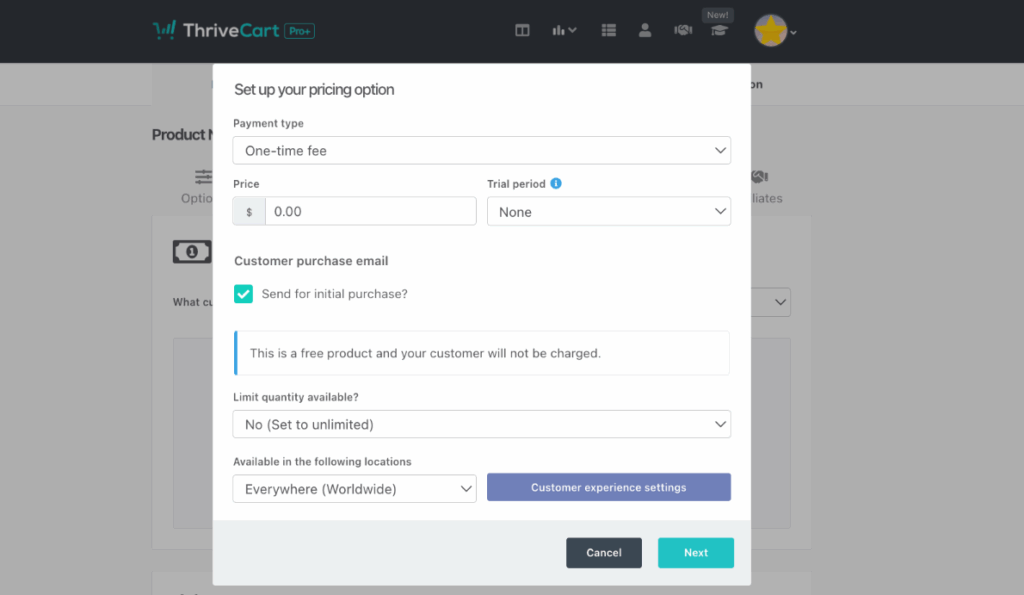
The first step would then be to set your product’s pricing. In this case, we’re wanting our product to be free, so we’ll create a ‘One-time fee’ for zero amount by keying in “0” or “0.00”.
To learn how to set up the pricing of your products, see our dedicated help desk article here.
Once this is created, we need to head over to the Fulfillment tab and create our shipping option(s).
Remember: You can create multiple shipping options for your product and have different countries/locations charged different amounts, or even restrict the product to be shown to only a specific region. Only the options available to your customers will be shown.
You can learn more about creating shipping options and the different options available to you here.
In this example, I’ve selected Vervante as my fulfillment provider as I’m going to send my customer a physical book, and I want them to pay 4.99 for the shipping.

So now when I save my product, my customer will pay nothing for the product, and they will pay $4.99 shipping if they are in the USA. I could have a different shipping rule for everywhere else and charge them a different amount if I wanted, or I could set my shipping option to be available worldwide at this price.
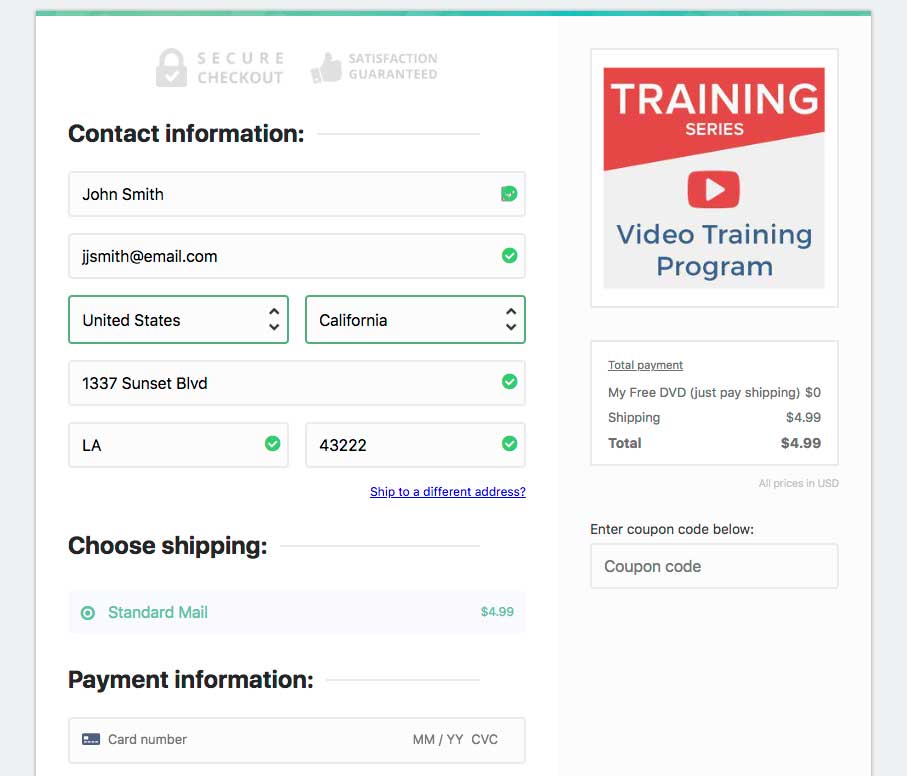
When going to the checkout now, we’ll see a breakdown of pricing for $0 for the main product and then just the shipping fee of $4.99. The customer’s receipt invoice will also reflect this.